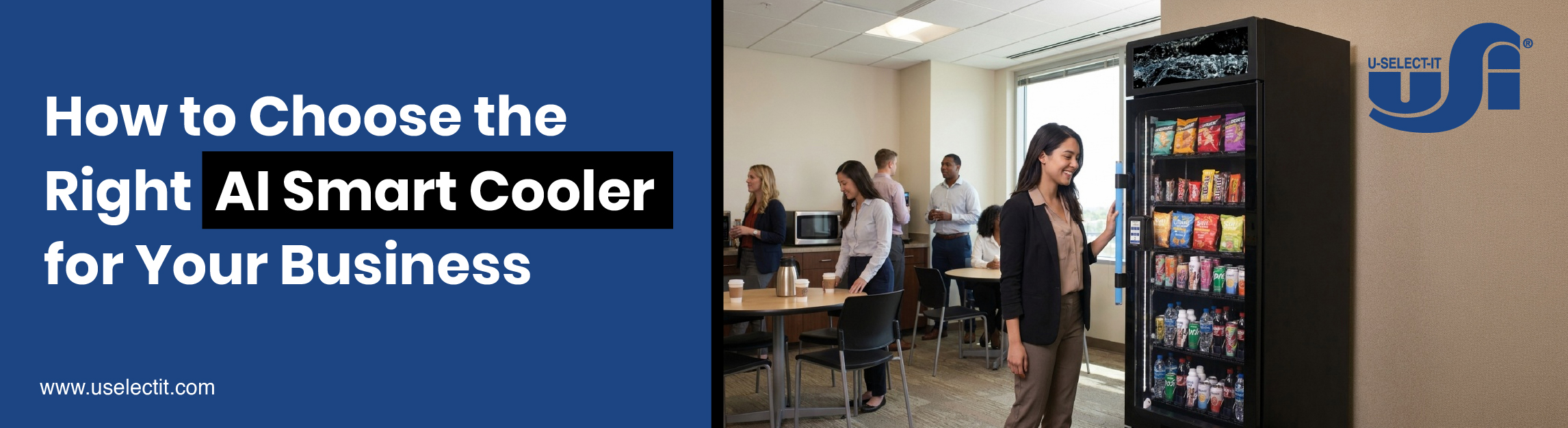
The most expensive smart cooler is not necessarily the right one for your business. The right AI smart cooler matches your products, location, customer volume, capacity needs, and operating model.
So, how do you choose a smart cooler?
Start with the business requirements before comparing models. Consider what you plan to sell, how much inventory you need to carry, where the machine will operate, how customers will shop, what level of remote management you need, and what the equipment will actually cost to operate.
This smart cooler buying guide breaks down the key criteria, from AI product recognition and payment processing to capacity, connectivity, installation, service, warranty, and total cost of ownership. It also shows how different U-Select-It Spectra AI smart coolers fit different business requirements.
How Do You Choose an AI Smart Cooler?
The right AI smart cooler depends on your product mix, expected customer volume, location requirements, capacity needs, payment technology, security requirements, connectivity, remote monitoring capabilities, and total cost of ownership.
Rather than comparing equipment price alone, evaluate how each smart cooler supports your products, customers, operating requirements, and long-term business goals. The best AI smart cooler is the one that aligns with your location, merchandising strategy, and operational model.
What Should You Consider When Choosing an AI Smart Cooler?
Businesses should compare AI smart coolers using a consistent evaluation framework rather than focusing on individual specifications or equipment price alone. Before comparing an AI smart cooler for business, evaluate these factors:
| Buying Criterion | What to Evaluate |
| Product Mix | What products will you sell, and can the cooler accommodate the right mix? |
| Capacity | How much inventory can the cooler hold, and is it enough for your expected demand? |
| Location | Where will the cooler operate, and does the environment require specific equipment or features? |
| Customer Volume | How many customers and transactions do you expect at the location? |
| AI Technology | How does product recognition work, and how accurately can the system identify purchases? |
| Payment | Which payment methods are supported, and how quickly can customers complete checkout? |
| Inventory Management | What sales, inventory, and product-level visibility do you need? |
| Connectivity | How does the cooler connect to the internet, and what happens if connectivity is interrupted? |
| Security | How does the system control customer access and help prevent loss or shrink? |
| Remote Management | Can you manage products, pricing, sales, and multiple locations remotely? |
| Installation | What electrical, connectivity, floor-space, and installation requirements must be met? |
| Service & Support | Who handles installation, maintenance, troubleshooting, and technical support? |
| Warranty | What equipment, components, and service are covered, and for how long? |
| Scalability | Can the solution support additional coolers, locations, and higher transaction volumes as you grow? |
| Total Cost of Ownership | What will you pay for equipment, software, payment processing, installation, maintenance, and service? |
Choose the product program first. Then choose the technology.
Your assortment might include:
- Snacks
- Beverages
- Fresh food
- Sandwiches and salads
- Dairy
- Shelf-stable products
- Combination assortments
- Frozen products
Different products can require different storage, shelving, merchandising, and capacity considerations.
Need help matching the right cooler to your budget? Get approved for financing today.
Snacks and Shelf-Stable Products
If you primarily sell packaged snacks, candy, and beverages, look for a commercial smart cooler designed around efficient shelf merchandising and product recognition.
U-Select-It’s Spectra Core AI Smart Cooler is designed for shelf-stable snack programs and features TrueAI™ computer vision product recognition, a real-time smart shopping cart, six shelves, product pushers, cashless payment options, cloud-based remote monitoring, and a 30-inch advertising screen.
Its listed dimensions are 80.63 inches high × 28.55 inches wide × 31.93 inches deep, with a 42.6-cubic-foot volume.
Fresh Food and Refrigerated Products
If your business will sell refrigerated products, evaluate more than the cooler’s physical size.
Consider:
- Temperature management
- Shelf configuration
- Product dimensions
- Product visibility
- Restocking requirements
- Expected product turnover
Before purchasing, confirm that the specific model is designed for the products you intend to sell.
Frozen Products
Frozen merchandise may require dedicated equipment rather than a conventional refrigerated smart cooler.
If frozen products are part of your business model, ask the vendor whether the equipment is specifically designed for frozen storage and whether the AI technology supports the intended assortment.
The buying principle is simple: don’t choose an AI smart cooler because the technology looks impressive. Choose equipment that supports the products that generate your revenue.
How Much Capacity Does Your Business Need?
Capacity is about more than the number of shelves.
Match Capacity to Expected Demand
Consider:
- Daily customer traffic
- Expected transactions
- Products per transaction
- Peak purchasing periods
- Restocking frequency
- Product shelf life
A machine that is too small can require frequent restocking. One that is significantly larger than your demand may leave valuable capacity underutilized.
Consider Product Dimensions
When reviewing smart cooler specifications, ask about:
- Number of shelves
- Number of selections
- Product depth
- Shelf configuration
- Vertical clearance
- Total product capacity
For example, the Spectra Launch is configured specifically for beverages, with 54 beverage selections and capacity for up to 378 drinks, according to USI’s product information.
The Spectra Core provides six shelves with configurations for snacks, candy, and drinks, while the Spectra Pro provides six shelves for snack and drink storage. Exact capacity varies by product configuration.
Think About Future Growth
A smart cooler that works for one small location may not be the right choice if you plan to expand to multiple sites.
Ask whether the software platform, remote monitoring, product management, service network, and equipment lineup can support additional locations as your business grows.
Where Will the AI Smart Cooler Be Installed?
Location should be a buying criterion, not an afterthought.
Workplaces and Office Break Rooms
An office break room may prioritize convenient access to snacks, beverages, and other employee-focused products. Easy cashless checkout and reliable remote monitoring can also reduce the operational burden of managing an on-site retail point.
Gyms and Fitness Centers
A smart cooler for a gym or fitness center may feature beverages, healthy snacks, energy products, or other fitness-oriented merchandise.
Apartments and Residential Communities
Residential locations can benefit from convenient access to food and beverages beyond traditional retail hours.
Hotels and Hospitality
Hotels may use unattended retail to provide convenient food and beverage access when staffed service is unavailable or limited.
Healthcare and Educational Facilities
Hospitals, healthcare facilities, schools, and campuses can have extended operating hours and varied customer needs. Capacity, security, connectivity, and product flexibility can therefore become important considerations.
High-Traffic or Semi-Public Locations
For locations with higher customer turnover, controlled access, cashless payments, security monitoring, and remote operational visibility may matter more.
The right model depends on the environment, not just the amount of traffic.
Which AI Smart Cooler Features Matter Most?
Don’t compare smart cooler features as a checklist. Ask what each feature actually does for your business.
Computer Vision and AI Product Recognition
AI product recognition allows the system to identify products as customers shop, supporting automated checkout without requiring customers to scan every item manually.
When comparing AI smart coolers, ask:
- How does product recognition work?
- How is accuracy maintained?
- How are products added to the system?
- What happens when an item is not recognized?
- How are transaction discrepancies handled?
Cashless Payment
Cashless payment is central to the grab-and-go experience.
USI’s Spectra models support cashless payments through WeVend or Cantaloupe readers, depending on the model.
When comparing payment systems, ask about:
- Supported payment methods
- Payment processing
- Transaction fees
- Security
- Recurring costs
- Processor compatibility
Real-Time Smart Shopping Cart
A real-time shopping cart can track products as customers select them and support an automated checkout experience.
This can reduce friction for customers while giving operators greater visibility into transactions.
Remote Monitoring and Cloud Management
For operators, an AI smart cooler’s value extends beyond customer interaction.
USI’s Spectra models include cloud-based VMS capabilities, allowing operators to monitor machine activity remotely.
Look for visibility into areas such as:
- Sales
- Inventory
- Machine health
- Alerts
- Operational activity
This becomes particularly important when managing multiple locations.
Security and Controlled Access
Evaluate how the equipment protects inventory and controls customer access.
Depending on the model, USI’s Spectra lineup includes NAMA-compliant smart locks, security cameras, theft alerts, and GPS asset tracking.
For example, Spectra Launch includes four integrated security cameras, machine-health monitoring, abnormal-order alerts, and theft alerts. Spectra Elevate adds real-time theft alerts and GPS asset tracking.
Connectivity
A connected smart cooler needs a reliable way to communicate with its software and payment systems. Connectivity should be evaluated as a customer-experience requirement and an operational requirement because payment processing, monitoring, alerts, and reporting may rely on reliable communication between the equipment and management platform.
Ask whether the equipment supports:
- Cellular connectivity
- Wi-Fi
- Ethernet
The Spectra lineup uses built-in cellular connectivity with support for AT&T, Verizon, and T-Mobile, plus Wi-Fi and Ethernet on applicable models.
Also ask whether cellular data is included, whether there are connectivity costs, and what happens if the primary connection becomes unavailable.
Schedule a demo to See these features in action
Watch the Spectra Pro in Action
The specifications tell you what the equipment includes. A video can show how those features work together in a real customer and operator experience.
Spectra Pro demonstrates TrueAI™ product detection, automated shopping, real-time transaction visibility, remote operational tools, and the grab-and-go checkout experience.
How Important Is Ease of Product Management?
A smart cooler should simplify product management, not create another operational bottleneck.
Can You Change Product Assortments Easily?
Product assortments can change because of:
- Seasonality
- Customer preferences
- Location performance
- Client requests
- Product availability
Ask how quickly products can be added, removed, or updated.
The Spectra Pro product information specifically highlights the ability to adapt product mix and manage the system through its connected platform.
Can You Manage Multiple Machines?
If you operate several locations, centralized management becomes increasingly important.
Ask whether the smart cooler software platform can provide a single view of multiple machines and locations.
Can You Monitor Machine Health?
Remote monitoring can help operators identify issues without physically visiting every machine.
Ask what alerts are available and whether the system can provide information about machine health, unusual orders, theft, or other operational problems.
How Do You Compare Different AI Smart Coolers?
Use the same framework for every model you evaluate.
| Buying Factor | Questions to Ask |
| Product Mix | What products can I sell? |
| Capacity | How many selections and products can it hold? |
| Footprint | Will it fit the intended location? |
| Power | What are the electrical requirements? |
| AI Technology | How does product recognition work? |
| Payment | Which payment systems are supported? |
| Connectivity | Does it support cellular, Wi-Fi, or Ethernet? |
| Security | How is inventory protected and shrink controlled? |
| Monitoring | What can I monitor remotely? |
| Product Management | How easily can I change the product assortment? |
| Service and Support | Who provides support and how quickly are issues resolved? |
| Warranty | What is covered and for how long? |
This approach gives you a more useful AI smart cooler vendor comparison than comparing advertised prices alone. Compare Spectra with other leading AI smart cooler solutions to see which best fits your business requirements.
AI Smart Cooler vs. Traditional Vending: Which Is Right for You?
The right choice depends on how you plan to sell, what customers expect, and how much automation your location requires. Use the comparison below to see which format aligns with your business needs.
| Consider Traditional Vending If… | Consider an AI Smart Cooler If… |
| You need straightforward product dispensing | You want a grab-and-go shopping experience |
| Your assortment is relatively limited | You want to offer a broader product assortment |
| Individual product selection fits the location | Customers may purchase multiple products in one visit |
| Simplicity is a priority | Automated checkout is important |
| A conventional vending model meets your operational needs | You want connected retail capabilities |
| Your product program fits a traditional vending format | You want AI-enabled product recognition and remote monitoring |
Which Is Better: A Smart Cooler or a Vending Machine?
Neither format is automatically better. Traditional vending can be an ideal choice when product assortments are straightforward, customer purchases are typically limited to one or two items, and operational simplicity is a priority.
AI smart coolers may be a better fit when locations require refrigerated products, broader product assortments, multi-item shopping, automated checkout, and greater operational visibility through connected management tools.
The best choice depends on the location, customer behavior, product mix, and business objectives.
What Is the Total Cost of Owning an AI Smart Cooler?
Smart cooler cost is more than the equipment’s purchase price.
Initial Equipment Cost
Compare the hardware price and understand exactly what is included.
Don’t assume two smart coolers with similar prices have identical capabilities.
Payment and Technology Costs
Ask about:
- Payment processing
- Transaction fees
- Software fees
- Recurring platform costs
- Connectivity
- Included services
If you’re researching how much an AI smart cooler costs, request a complete cost breakdown rather than comparing sticker prices.
Installation and Connectivity
Review:
- Electrical requirements
- Available floor space
- Footprint dimensions
- Network availability
- Delivery and installation requirements
For example, Spectra Launch requires 115 VAC/60Hz and 2.35 amps, with listed dimensions of 82.6 inches H × 31.5 inches W × 28.8 inches D.
Spectra Core lists 115/60 V and 2.5 amps, with dimensions of 80.63 inches H × 28.55 inches W × 31.93 inches D. Spectra Pro lists 115/60 V and 2.4 amps, with dimensions of 81.6 inches H × 31.7 inches W × 28.7 inches D.
Always verify current specifications before installation because product configurations can change.
Maintenance, Service, and Warranty
Compare more than the warranty length.
Ask:
- Who provides technical support?
- Who services the equipment?
- What is covered?
- What is excluded?
- Is support U.S.-based?
- What happens when a machine goes offline?
USI’s Spectra lineup varies by model. Launch carries a 3-year warranty and lifetime 24/7 U.S. support, while Core and Pro list 5-year warranties with lifetime 24/7 U.S. support. Elevate lists a 7-year warranty with lifetime 24/7 U.S. support.
Financing or Leasing
If you’re comparing lease vs. buy for a smart cooler, look at the total financial commitment rather than only the monthly payment.
Compare:
- Purchase price
- Down payment
- Monthly payment
- Financing or lease term
- Software costs
- Payment processing costs
- Service costs
- Total amount paid
How Do You Calculate Smart Cooler ROI?
Smart cooler ROI depends on actual sales, product margins, utilization, and operating costs.
A basic payback calculation starts with:
Payback period = Initial investment ÷ Expected monthly contribution
Your expected monthly contribution should reflect product sales and relevant operating expenses, not gross sales alone.
For a more meaningful smart cooler ROI analysis, consider:
- Expected transactions
- Average transaction value
- Product margins
- Payment costs
- Software fees
- Restocking labor
- Maintenance
- Financing costs
- Expected utilization
No universal minimum foot traffic number guarantees a positive return.
What Questions Should You Ask Before Buying?
Use this checklist when speaking with an AI smart cooler provider:
- What products can this model sell?
- How many SKUs can it hold?
- What is the actual product capacity?
- What are the footprint dimensions?
- What are the power requirements?
- Does it require Wi-Fi, Ethernet, or cellular connectivity?
- Is cellular data included?
- Which payment processors are supported?
- What transaction fees apply?
- Are there monthly software fees?
- How does AI product recognition work?
- What happens if a product is identified incorrectly?
- How are new products added?
- Can I change product assortments remotely?
- Can I monitor multiple machines from one platform?
- What security features are included?
- Who installs the machine?
- How long does installation typically take?
- Who handles maintenance and technical support?
- What does the warranty cover?
- Can the machine be financed or leased?
- Can the equipment be branded with my logo?
- What happens if the machine loses connectivity?
- What reports and operational data are available?
Choosing the Right AI Smart Cooler for Your Business
The best AI smart cooler for your business fits your products, location, customer behavior, and operating model.
What Are You Selling?
Match the equipment to your merchandise, whether that means snacks, beverages, fresh food, or another product category.
Where Are You Selling It?
Match capacity, footprint, security, connectivity, and customer experience to the location.
How Do You Plan to Operate It?
Match the technology and software to your operational needs. If you are managing multiple machines, remote monitoring, inventory visibility, alerts, and centralized management may become increasingly important.
U-Select-It offers multiple Spectra AI smart cooler configurations, allowing businesses to evaluate different combinations of capacity, merchandising, security, monitoring, and support.
Key Takeaways
- Choose the product program before choosing the smart cooler.
- Match capacity to expected demand and restocking requirements.
- Check the machine’s footprint and power requirements before installation.
- Compare AI product recognition and checkout technology, not just marketing claims.
- Evaluate payment processing, transaction fees, software, and connectivity costs.
- Look for remote monitoring and inventory visibility if you operate multiple locations.
- Compare security features based on the machine’s operating environment.
- Evaluate maintenance, technical support, and warranty coverage.
- Calculate total cost of ownership rather than comparing hardware prices alone.
- Use expected sales, margins, operating costs, and equipment investment to estimate payback.
- Ask vendors specific questions about installation, software, payment processing, service, and scalability.
Ready to Find the Right Smart Cooler for Your Business?
The right AI smart cooler starts with the business decision, not the machine.
Know what you are selling. Know where you are selling it. Know how you plan to operate it. Then compare the equipment against those requirements.
Explore U-Select-It’s AI smart cooler solutions and find the configuration that fits your business.
FAQs
1. What is the best AI smart cooler for a business?
The right model depends on your product mix, location, capacity requirements, customer volume, security needs, and operating model. U-Select-It offers multiple Spectra configurations designed around different requirements.
2. How much does an AI smart cooler cost?
The total cost varies by model, configuration, payment technology, software, installation, connectivity, service, and other operating requirements. Ask for a complete cost breakdown rather than comparing equipment prices alone.
3. What features should I look for in an AI smart cooler?
Key features to evaluate include AI product recognition, real-time shopping carts, cashless payments, remote monitoring, inventory visibility, security, connectivity, product-management tools, service, and warranty coverage.
4. What products can an AI smart cooler sell?
Capabilities vary by model. USI’s Spectra lineup includes configurations designed for snack and beverage programs, including shelf-stable products.
5. How much capacity do I need in a smart cooler?
Base capacity on expected transactions, product dimensions, number of SKUs, peak demand, and restocking frequency.
6. Are AI smart coolers refrigerated?
Many AI smart coolers are designed as refrigerated retail cabinets, but capabilities vary by model. Confirm the temperature and product requirements for the specific equipment you are considering.
7. Can AI smart coolers sell fresh food?
Some models can support refrigerated food and beverage programs. Confirm the specific model’s storage and product requirements before purchasing.
8. How does AI product recognition work?
AI product-recognition technology identifies products as customers shop and supports automated checkout. The exact technology and capabilities vary by equipment.
9. Do AI smart coolers accept cashless payments?
Yes, cashless payment is a key component of many AI smart cooler systems. USI’s Spectra models support WeVend or Cantaloupe cashless readers.
10. Can I monitor an AI smart cooler remotely?
Yes. USI’s Spectra lineup includes cloud-based VMS remote monitoring capabilities. The specific information and controls available can vary by model.
11. Are AI smart coolers suitable for small businesses?
They can be, depending on the location, expected demand, product mix, and operating economics. Small businesses should evaluate expected sales against the complete cost of equipment and operation.
12. What is the difference between an AI smart cooler and a vending machine?
Traditional vending generally requires customers to select products individually, while an AI smart cooler can allow customers to authenticate, open the cabinet, select multiple products, and complete an automated checkout. The right format depends on the location and business requirements.